
Report ARR by industry by joining a reconciled recurring-revenue export to a reviewed company map through account IDs. Use domains to obtain company context, keep unmatched revenue in Unknown, and preserve the reporting date and segment view. This works in a spreadsheet before you need a warehouse query or custom billing integration.
Which revenue number should you start with?
Start with normalized recurring revenue for one reporting date, using your finance team's definition.
A payment export is not automatically an MRR export. Annual prepayments and one-off charges can distort a payments-times-twelve calculation. Stripe's billing analytics documentation describes its MRR-per-subscriber export and configurable metric definitions. Use the corresponding recurring-revenue report from your billing system and record the settings used.
For the illustrative fixed-subscription example below, ARR is 12 × normalized MRR. This is an annualized run rate, not booked annual revenue or a cash forecast. Keep currencies separate unless you have an explicit conversion policy.
What should the worksheet contain?
Use an account-level revenue sheet and a company-context sheet, connected by a reviewed account map.
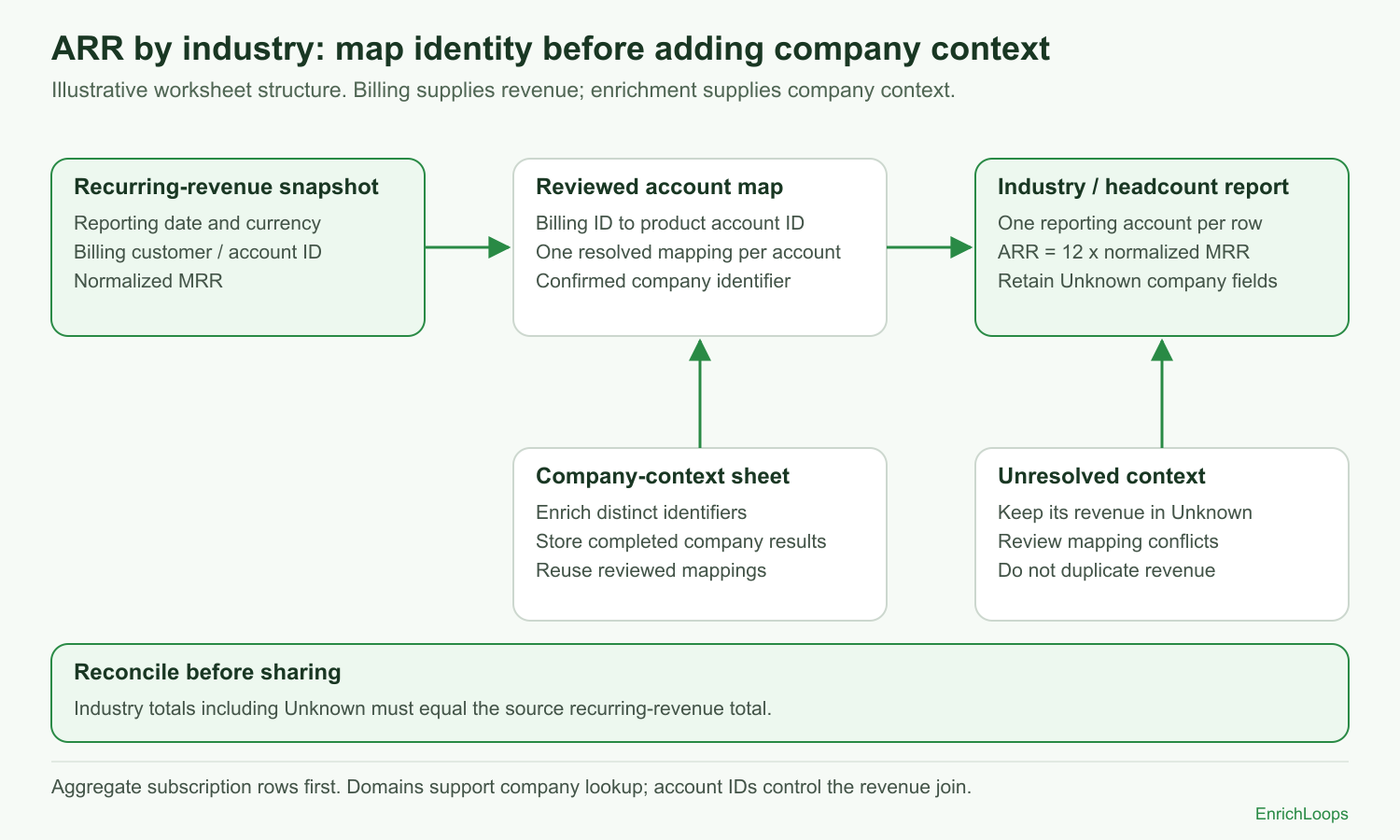 ARR by industry worksheet: join reconciled revenue to a reviewed account map by account ID, add company context, and retain Unknown revenue.
| Sheet | Required columns | Important check |
|---|---|---|
| Revenue | Reporting date, billing customer ID, product account ID, currency, normalized MRR | Aggregate multiple subscriptions under your chosen account definition first. |
| Account map | Product account ID, billing customer ID, confirmed company identifier, mapping status | Resolve duplicate and conflicting mappings. |
| Company context | Submitted identifier, returned company identity, industry, headcount, retrieval time, result state | Reuse a result without collapsing commercial accounts. |
| Report | Account ID, currency, MRR, ARR, industry, headcount band, mapping state | Keep every included revenue account, including Unknown. |
The join from billing to your product is an identity decision. Make that association before introducing the domain lookup. A payer's email domain may belong to a consultant or billing service rather than the customer company.
How do you build the report without SQL?
Create a small reviewed mapping table, then use lookup columns and a pivot.
- Export the recurring-revenue snapshot and record its date and currency.
- Aggregate subscription rows to your chosen reporting account. Preserve the raw export.
- Map each billing customer to a product account or commercial account.
- Add a confirmed company domain or LinkedIn company URL where available.
- Enrich distinct supported company identifiers and store the completed results.
- Bring industry and headcount into the report through the account map.
- Assign Unknown to missing or unresolved company fields.
- Pivot by industry, summing MRR and counting reporting accounts.
- Reconcile the report total to the source snapshot before presenting it.
A worksheet lookup should find exactly one mapping row for an account. Put conflicts on a review sheet instead of returning whichever match happens to appear first.
EnrichLoops' company documentation describes supported inputs. Successful new requests use credits, even for stored results; deliberate reuse of one saved result across confirmed mappings avoids submitting those extra requests.
What does a reconciled example look like?
The segment total must equal the billing total, including Unknown.
The following companies and numbers are fictional and illustrative, all in USD at the same reporting date.
| Account ID | Confirmed company | Industry | MRR | ARR |
|---|---|---|---|---|
| A-101 | Northwind Logistics | Logistics | 600 | 7,200 |
| A-102 | Cedar Works | Manufacturing | 1,200 | 14,400 |
| A-103 | Company unresolved | Unknown | 300 | 3,600 |
| Total | 2,100 | 25,200 |
The industry pivot contains 7,200 in Logistics, 14,400 in Manufacturing, and 3,600 in Unknown. Removing the unresolved row would understate ARR by 3,600.
Revenue-weighted known-industry coverage is 21,600 ÷ 25,200 = 85.7%. Account coverage is 2 ÷ 3 = 66.7%. Label both if you report them; they answer different questions.
What breaks the worksheet most often?
Identity and row duplication can cause more damage than a missing industry label.
If one billing account has several subscriptions, joining each subscription to several company-map rows multiplies revenue. Check row counts and totals before and after every join.
If multiple product workspaces share one commercial account, decide whether the report counts workspaces or the paying customer. Do not divide or duplicate its revenue without an explicit allocation rule.
If a company uses several domains, maintain the confirmed mapping yourself. Do not assume enrichment exposes a parent/subsidiary hierarchy or automatically merges those accounts.
Which segment date should the report use?
Choose current context for a current-book question and historical context for a time-specific question.
A current ARR report can use a recently reviewed company classification. A question about the segment in which a customer churned needs the classification at that event, or a clearly labeled reconstruction.
Store the company observation and retrieval dates where available. Receiving a result today is not proof that every field was observed today. Preserve the snapshot used for each issued report so later enrichment cannot silently rewrite it.